
Organize your files with
private, on-device AI
AI that runs on your Mac, learns your preferences, and gets smarter every time you use it. No cloud. No tracking.
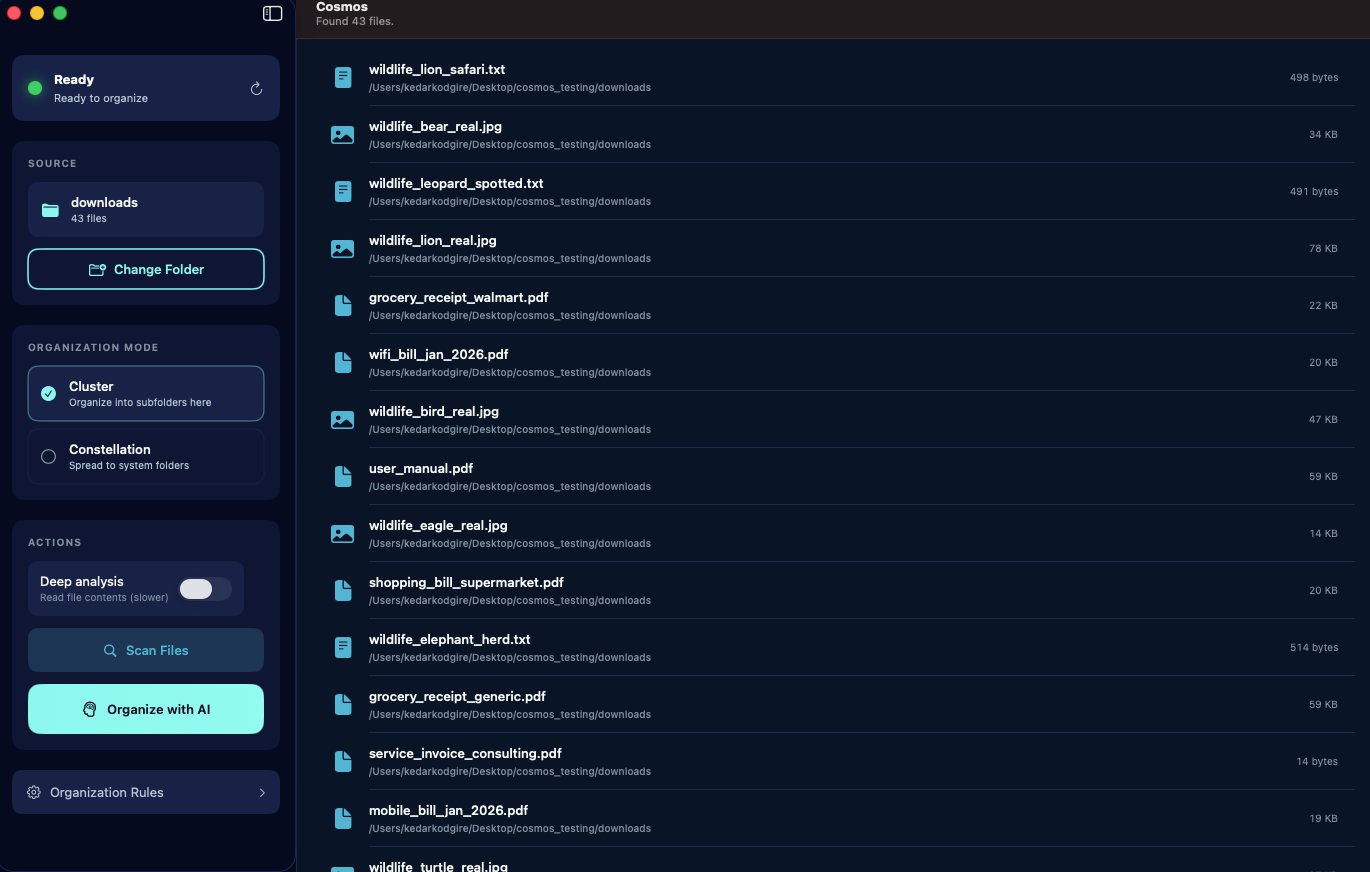
AI that runs on your Mac, learns your preferences, and gets smarter every time you use it. No cloud. No tracking.
How It Works
No configuration. No rules to learn. Just point, click, and organize.
Pick any cluttered folder on your Mac — Downloads, Desktop, wherever the mess lives.
Cosmos analyzes your files using on-device AI and suggests the perfect organization.
Accept, reject, or adjust suggestions. Apply with one click. Undo anytime.
Features
Powerful AI file organization without compromising your privacy.
The AI model downloads once and runs entirely on your Mac using Apple Silicon's Neural Engine. Your file names, contents, and metadata never leave your device. Not even we can see them. Smart categorization recognizes photos, documents, videos, music, archives, and more — understanding context from filenames and content.
Cluster creates organized subfolders within your selected folder — perfect for cleaning up Downloads. Constellation distributes files to your Mac's native folders like Documents, Pictures, and Music. Pick the mode that matches how you think about your files.
Every change is reversible. Undo all changes and restore files to their original locations instantly. Cosmos always shows you what it plans to do before making any changes — review every suggestion, then apply with confidence.
Adaptive Intelligence
Most AI tools treat every user the same. Cosmos is different. It starts smart, but becomes yours.
Every time you accept or reject a suggestion, Cosmos remembers. Reject a suggestion? It won't make that mistake again. Prefer invoices in "Billing" instead of "Finance"? It picks that up. Over time, Cosmos builds a personalized understanding of how you think about your files.
The more you use it, the more it feels like your own personal assistant — one that knows exactly where everything should go.
Privacy
Unlike cloud-based organizers, Cosmos never uploads your files or file names anywhere.
The AI model downloads once and runs locally forever.
Read our full privacy policy →Pricing
One-time purchase. No subscription. Yours forever.
FAQ
No. Cosmos runs 100% on your Mac. The AI model downloads once and runs locally using Apple Silicon's Neural Engine. No file names, contents, or metadata ever leave your device. There is no cloud component whatsoever.
Cosmos requires macOS 14 (Sonoma) or later and an Apple Silicon Mac (M1, M2, M3, or M4). The AI model requires approximately 2-4 GB of storage space.
Cluster creates organized subfolders within your selected folder — great for cleaning up Downloads or any single messy folder. Constellation distributes files to your Mac's native folders like Documents, Pictures, Music, and more — ideal for sorting files into where they naturally belong.
You always review suggestions before they're applied. Reject any suggestion you don't agree with, and Cosmos learns from your feedback to avoid similar mistakes in the future. And if you've already applied changes, one-click undo restores everything to its original location instantly.
Every time you accept or reject a file suggestion, Cosmos stores that preference locally on your device. Over time, it builds a personalized understanding of how you organize files. The more you use it, the more accurate its suggestions become. No two users' Cosmos works the same way.
No. Cosmos is a one-time purchase at $14.99 (launch price). You pay once and own it forever, including all future updates. No recurring charges, no hidden fees.
Hazel is a powerful rule-based automation tool with a steep learning curve. Cosmos uses AI to automatically understand and categorize your files — no rules to configure. Just select a folder and let the AI do the work. Cosmos also learns from your choices and adapts over time, getting more personalized with every use.